A layer shift means one or more print layers are offset sideways. The object then looks "cut off" or stepped. The cause is almost always a mechanical or motion-related problem, rarely pure slicer errors.
📌 What does a layer shift look like?
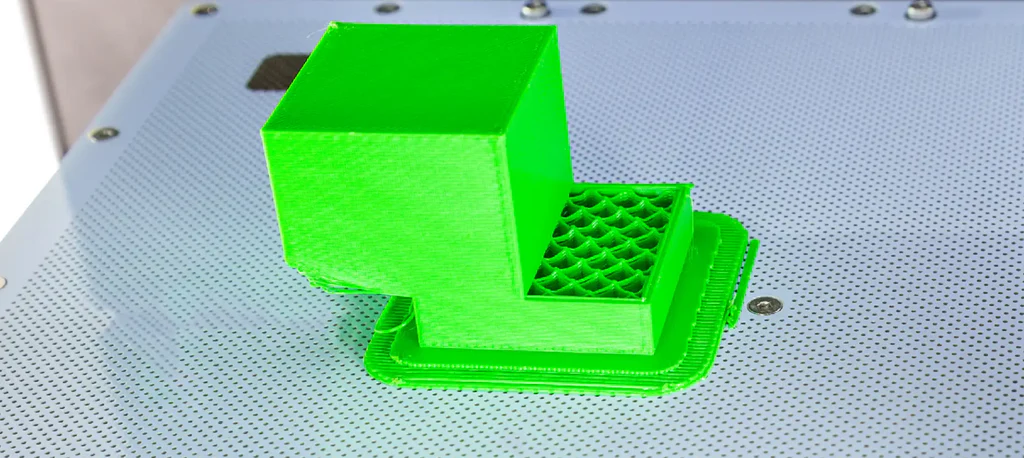
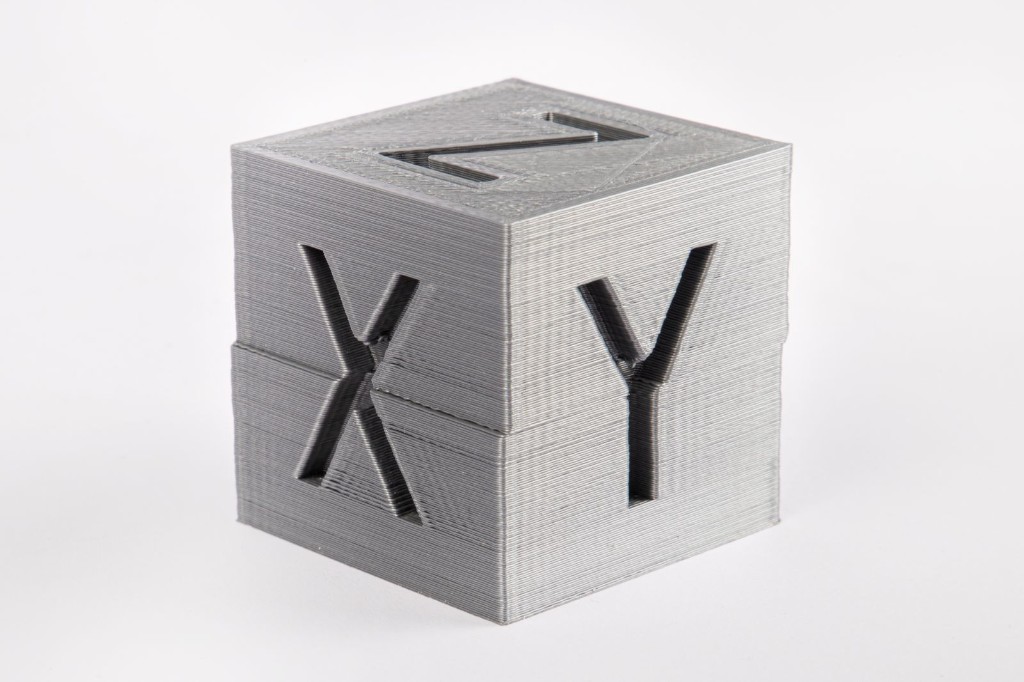
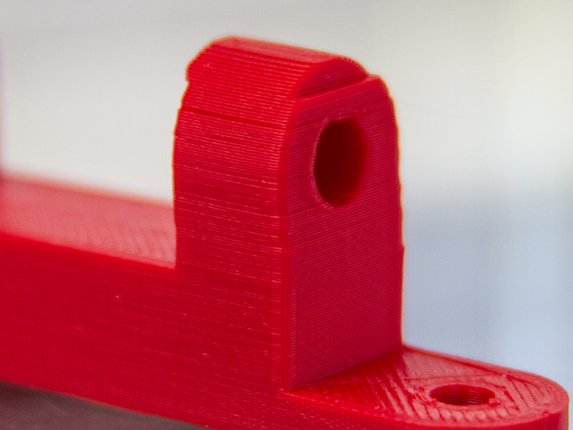
Sudden lateral offset of one or more layers – the object looks "cut off" or stepped.
🛠 Mechanical causes & solutions
1️⃣ Loose belts (X or Y axis)
Symptom: Sudden offset in one direction, often only once.
Why? The stepper moves but the belt "slips" → position is lost.
Solution:
- Check belt tension (not slack, but not guitar-string tight either)
- Check idler pulleys
- Inspect belt for tooth damage
- Tighten grub screws on pulleys (on motor shaft!)
2️⃣ Loose pulleys
Symptom: Repeatable shifts at similar height.
Why? The pulley rotates slightly on the motor shaft.
Solution:
- Position grub screw exactly on the flattened motor shaft
- Secure with thread locker
- Check both screws (if present)
3️⃣ Print speed or acceleration too high
Symptom: Layer shift during fast direction changes.
Why? Motor loses steps (step loss) because inertia is too high.
Solution:
- Reduce print speed
- Lower acceleration
- Reduce jerk/instantaneous speed
- Try printing 20–30% slower
4️⃣ Mechanical obstruction
Symptom: Layer shift at exactly the same spot.
Possible causes:
- Cables snagging
- Bowden tube catching
- Z-axis slightly misaligned
- Foreign object in linear rail
Solution:
- Manually run through full travel range
- Check cable management
- Clean & lubricate linear rails
5️⃣ Nozzle pressure too high (overextrusion)
Why? When too much material is pushed, the nozzle can catch on the print → axis jumps.
Check:
- Calibrate flow value
- Check E-steps
- Enable Z-hop (0.2–0.6 mm)
6️⃣ Stepper driver / electronics
Rare but possible: driver overheating, motor current set too low, defective stepper.
Solution:
- Check cooling
- Verify Vref
- Clean fan
🎯 Quality tuning against layer shift
| Setting | Recommendation |
|---|---|
| Speed | 40–60 mm/s |
| Acceleration | 500–1000 mm/s² |
| Belt tension | Tight, but not overstretched |
| Z-hop | Enable for problematic parts |
| Flow | 95–100% after calibration |
🧪 Diagnostic checklist (quick test)
- ✔ Belts tensioned?
- ✔ Pulleys tight?
- ✔ Cables free to move?
- ✔ Speed reduced?
- ✔ Print bed free of collision?
🧠 Pro tips
- 🔍 Layer shift only in X or Y? → Usually that axis is affected
- 📏 Always check mechanics before changing firmware
- 🧴 Clean linear rails regularly
- 🔩 Retighten screws after 50–100 print hours
- ⚖ Heavy direct extruders increase risk at high acceleration